Who needs that?
When you’re playing with a Flipper outdoors in a crowd, there’s no way you won’t get people’s attention. And when you hook up extra peripherals with little antennas, you look just like a typical spy from the movies. Plus, when it comes to red teaming, pulling out a Flipper is a guaranteed way to blow your cover right away. People don’t know what it is, but they see someone standing by the card reader, digging around in a strange orange device. That attracts attention - and sometimes security.
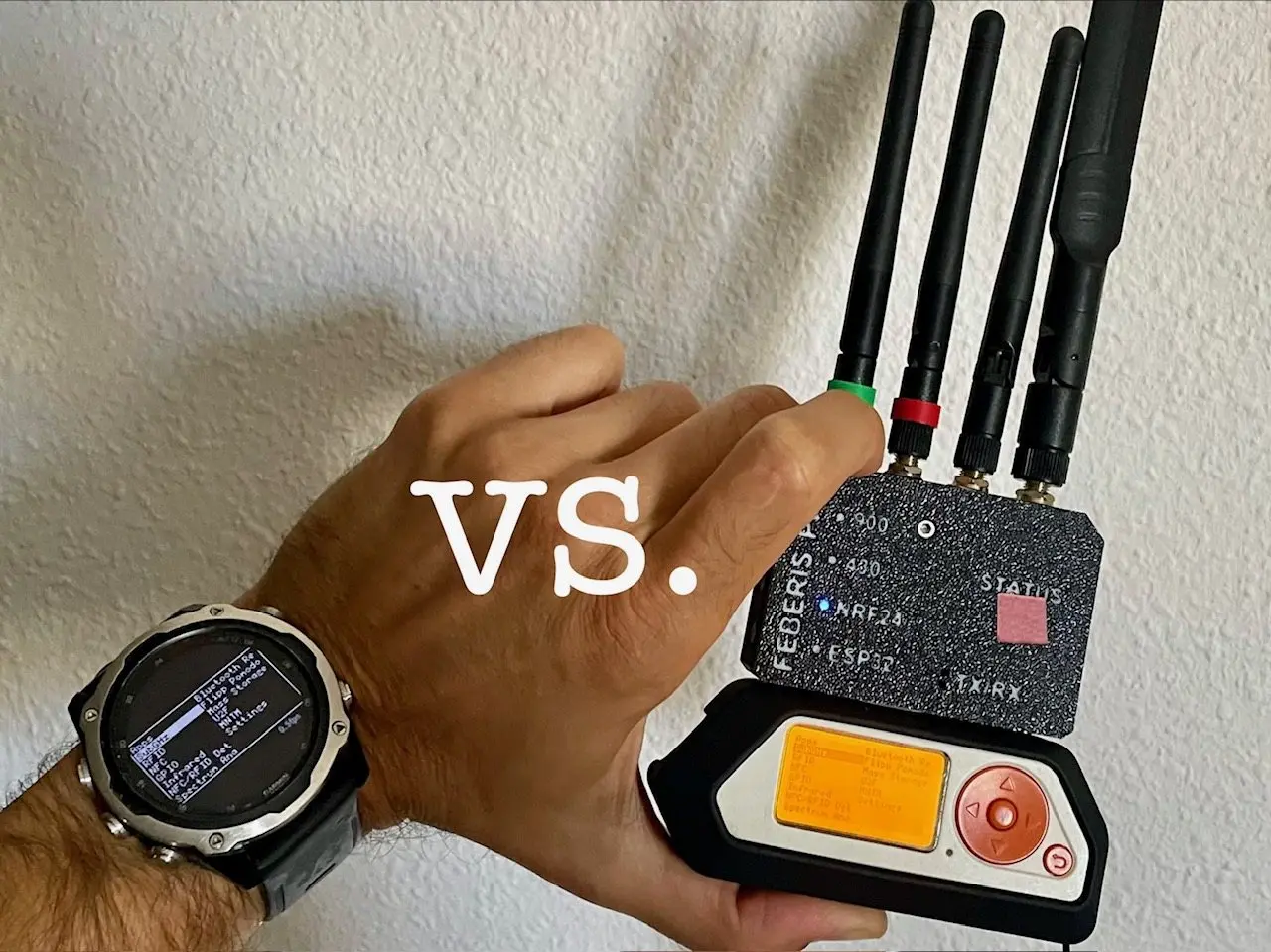
And that’s where a regular Garmin digital watch comes in - it doesn’t make a fuss. The Flipper stays in your backpack or pocket, doing its job, while you glance at your wrist like someone checking to see if they’ll make it to the train on time.
While preparing for the project, I reviewed the BLE specifications and the watch’s capabilities (in my case, it’s a Decent Mk2 that’s already a few years old), and I knew I’d have to make some significant compromises - though at first I wasn’t sure if it would even work. Discretion was the main goal, but at the price of performance.
Communication
In Bluetoot Low Energy (BLE), every connection has two roles: a
Central device (the watch scans its surroundings, selects a device,
and establishes a connection) and a Peripheral device (Flipper
broadcasts its presence and waits).
This corresponds exactly to the same arrangement as between a phone
with a mobile app and Flipper: the phone is the Central device, and
Flipper is the Peripheral device. The watch simply takes the place of
the phone - though unlike a phone, Garmin lacks support for BLE bonding,
which required a firmware mod on the Flipper to make communication
possible at all.
Once connected, data flows through GATT (Generic Attribute Profile). The simplest way to put it: a GATT server is a device that publishes a table of data, and a GATT client is a device that uses that table. Each row in the table is an attribute. An attribute has an address (UUID), a value (from one to a few hundred bytes) and permissions that say what the client can do with it: read it, write it, or ask the server to send the new value on its own whenever it changes (notify or indicate). The only difference between those two: with indicate, the client has to acknowledge each chunk before the server sends the next one. Related attributes are grouped into services, like files in a folder. One important limitation: GATT has no such thing as a data stream. If two devices want to push a continuous stream of bytes, they have to build it out of attributes themselves: one attribute for sending in one direction, another for the other. In this project the Flipper is the peripheral and the GATT server, so it's the one publishing the table. It advertises the 16-bit UUID of its service, the watch recognises it by that, connects and looks for one service: serial, the same one the Flipper mobile app uses. Two attributes in that service matter. The watch writes bytes meant for the Flipper into RX. The Flipper sends bytes to the watch from TX as indications, chunk by chunk, each one acknowledged. Together they fake a serial cable, just over the air. Everything going down that cable is the Flipper's ordinary RPC in Protobuf - Flipper's built-in remote control protocol, packaged into Google's compact binary format. No custom protocol, no new attributes.
advertising   16-bit UUID 0x3080 | case colour  (0x3081 black, 0x3082 white, 0x3083 transparent)
service       8fe5b3d5-2e7f-4a98-2a48-7acc60fe0000   serial
  RX          19ed82ae-...-228e62fe0000   watch writes, write with response
  TX          19ed82ae-...-228e61fe0000   Flipper sends, INDICATE
  RPC status  19ed82ae-...-228e64fe0000
on top        Flipper RPC, Protobuf, frames = varint(len) + PB.Main
Out of the whole RPC the watch uses two calls from the Gui
service. StartScreenStream tells the Flipper to send a
copy of its screen every time the screen changes. SendInputEvent
goes the other way and delivers a button press. In short, the watch
displays exactly what the Flipper is showing at any given moment, and
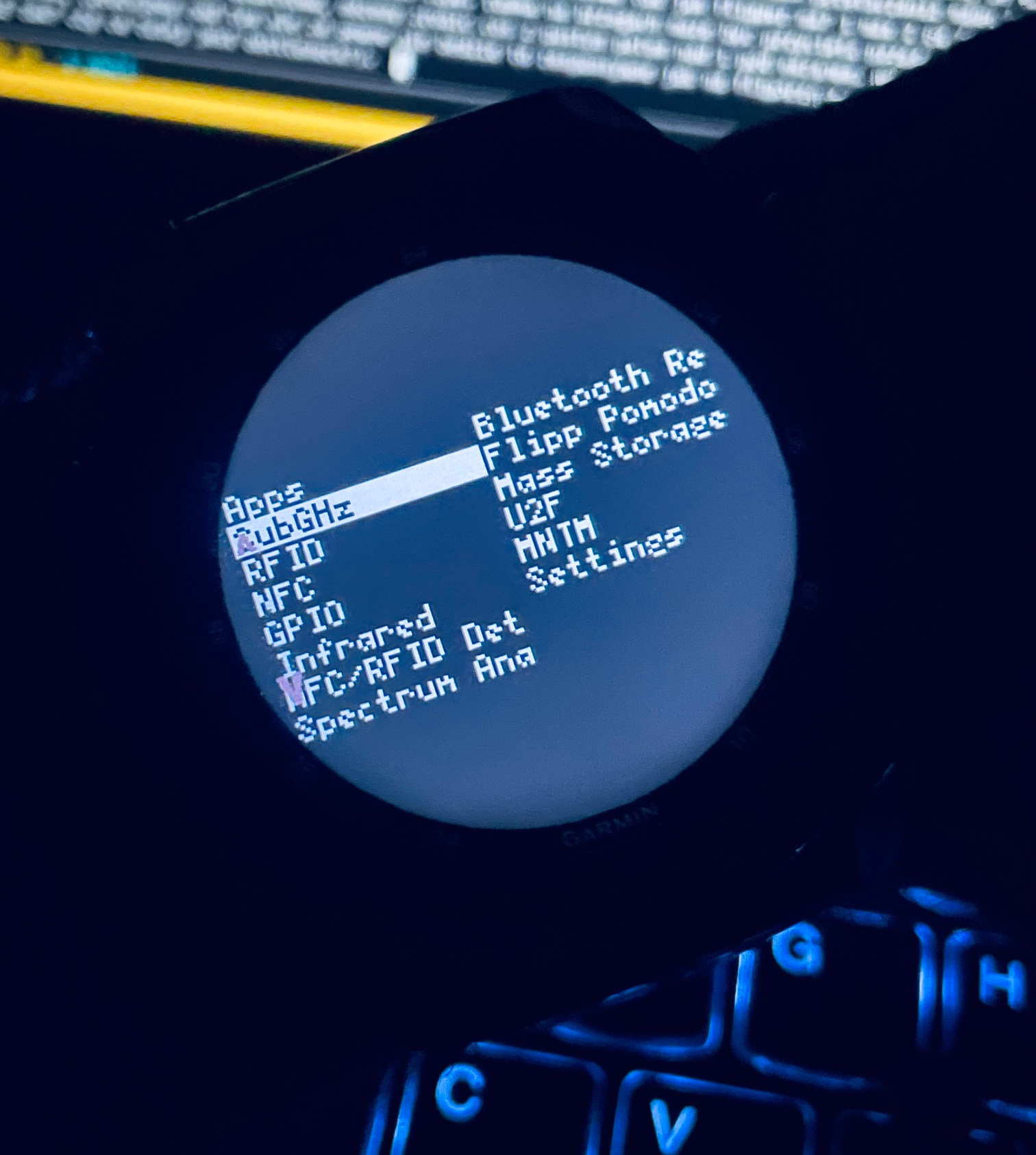
what you see in the photo is simply the Flipper’s menu, which you
navigate using the watch’s buttons. The watch’s button layout is
typical and intuitive for users of this class of Garmin devices - there
shouldn’t be any surprises here. But we’ll come back to that later.
Issues to crush
Without AI I would probably still be sitting in half-finished code, leafing through yet another PDF on the subject. Even so, a few big walls stood in the way, and each one took its own round of reading, guessing and measuring.
The first wall was bonding. In Bluetooth, bonding is the step where two devices pair once, exchange keys and remember each other, so that every later connection is encrypted. Connect IQ, Garmin's app platform, simply can't do that step: it has no SMP, the Security Manager Protocol that handles pairing. Garmin documents this as a hard limit. The Flipper, on the other hand, refuses to talk RPC over anything that isn't bonded and authenticated:
// serial_service.c
ATTR_PERMISSION_AUTHEN_READ | ATTR_PERMISSION_AUTHEN_WRITE
// serial_profile.c
.pairing_method = GapPairingPinCodeShow   // -> MITM_PROTECTION_REQUIRED
Two hard facts pointed straight at each other. In the early stages I didn't even realize this block existed - the watch simply saw nothing, without any error or diagnosis. Had I blindly pushed ahead with just the watch UI, three weekends later I'd have had a very pretty app that talks to nothing. Since stock Momentum had no option to bypass bonding, I had to write a firmware mod myself.
Why a firmware mod instead of a simple installable app (.fap)? Because of how Flipper's OS works: it runs only one foreground app at a time. The moment you launch Sub-GHz or RFID, the OS shuts down whatever was running before. If the bridge lived in a standalone .fap, opening any tool would instantly kill the remote session. It had to be a system service running quietly in the background under the entire OS, compiled directly into the firmware image.
The solution became a new opt-in switch, Momentum -> Protocols -> Open BLE Pairing. Switched on, it drops the authentication requirement from the serial attributes and sets pairing to Just Works, the BLE mode that connects without any PIN or confirmation. Switched off, the firmware behaves exactly like stock, byte for byte. No new bridge was needed, because the stock Gui service already streams the screen and already accepts key presses over RPC. It only had to be reachable.
The next few problems were smaller, but they all looked identical from the outside: a blank watch screen. Telling them apart took longer than fixing them. The UUIDs I copied from the firmware's .inc file were byte-reversed, because the STM32WB chip stores them little-endian while over the air they go big-endian. Then it turned out Connect IQ doesn't list devices that advertise only a 128-bit UUID, it needs a 16-bit one, the 0x308x from the table above, and at one point I had removed exactly that UUID as noise. The Flipper also advertised only every 1 to 2.5 seconds, too rarely for Garmin's scan window to catch it, so the patched firmware forces a fast advertising interval while the switch is on.
A more surprising one came after the connection was already up. GATT said connected, but every RPC request went unanswered and the app reported rpcCh=0. The Flipper opens its RPC session on a "connected" event, and the firmware only raised that event after pairing finished. With Just Works there is no pairing, so the event never came and the session never existed. The fix moves the event to the moment the radio link completes:
// gap.c, on HCI_LE_CONNECTION_COMPLETE
if(gap->config->pairing_method == GapPairingNone) {
    gap_emit(GapEventTypeConnected);   // stock: only after ACI_GAP_PAIRING_COMPLETE
}
Related, and easier: Connect IQ writes to a characteristic without acknowledgement by default. With nothing coming back, the app's transmit queue never drained and stalled after the first write. One explicit Ble.WRITE_TYPE_WITH_RESPONSE and it moved again. Less easy was the BLE stack inside the watch itself, which can lock up after a run of failed connections. From that point on, scan results and connection states are simply wrong until you reboot the watch, and I spent a fair amount of time debugging faults that didn't exist.
And then my favourite, because it was the most expensive. The picture finally arrived, and it was garbage: diagonal artefacts, shifted blocks, looking more and more like a real screen with every fix and never being one. To see why, you need to know what a frame looks like on the wire:
varint(bodyLen)                    ~2 B    length prefix
PB.Main                                    RPC envelope
  gui_screen_frame = 26
    ScreenFrame
      data        = 1   bytes      1024 B  u8g2 framebuffer, 128x64, 1 bit per pixel
      orientation = 2   enum
      bg_color, fg_color
total                              ~1038 B per frame, no compression, no delta
The firmware split this into chunks of 486 bytes, the maximum serial packet size. But the MTU, the largest packet the link will actually carry, was still at its default of 23 bytes, of which 20 are usable. So 20 bytes went out, and the pointer moved on by 486. The rest vanished without an error. And because the stream is framed by a length prefix, one hole doesn't break one frame, it throws the parser off for good. Hence the "almost screens". The worst part is that I had this hypothesis early and threw it out. I was watching the counter of received bytes on the watch, it was climbing nicely, so I decided the data was getting through. The counter measured how much arrived, not whether it was continuous. One log line on the Flipper side settled it:
FURI_LOG_I(TAG, "TXMSG %u mps=%u", bytes_len, bt->max_packet_size);
// -> TXMSG 1038 mps=486     with an MTU of 20
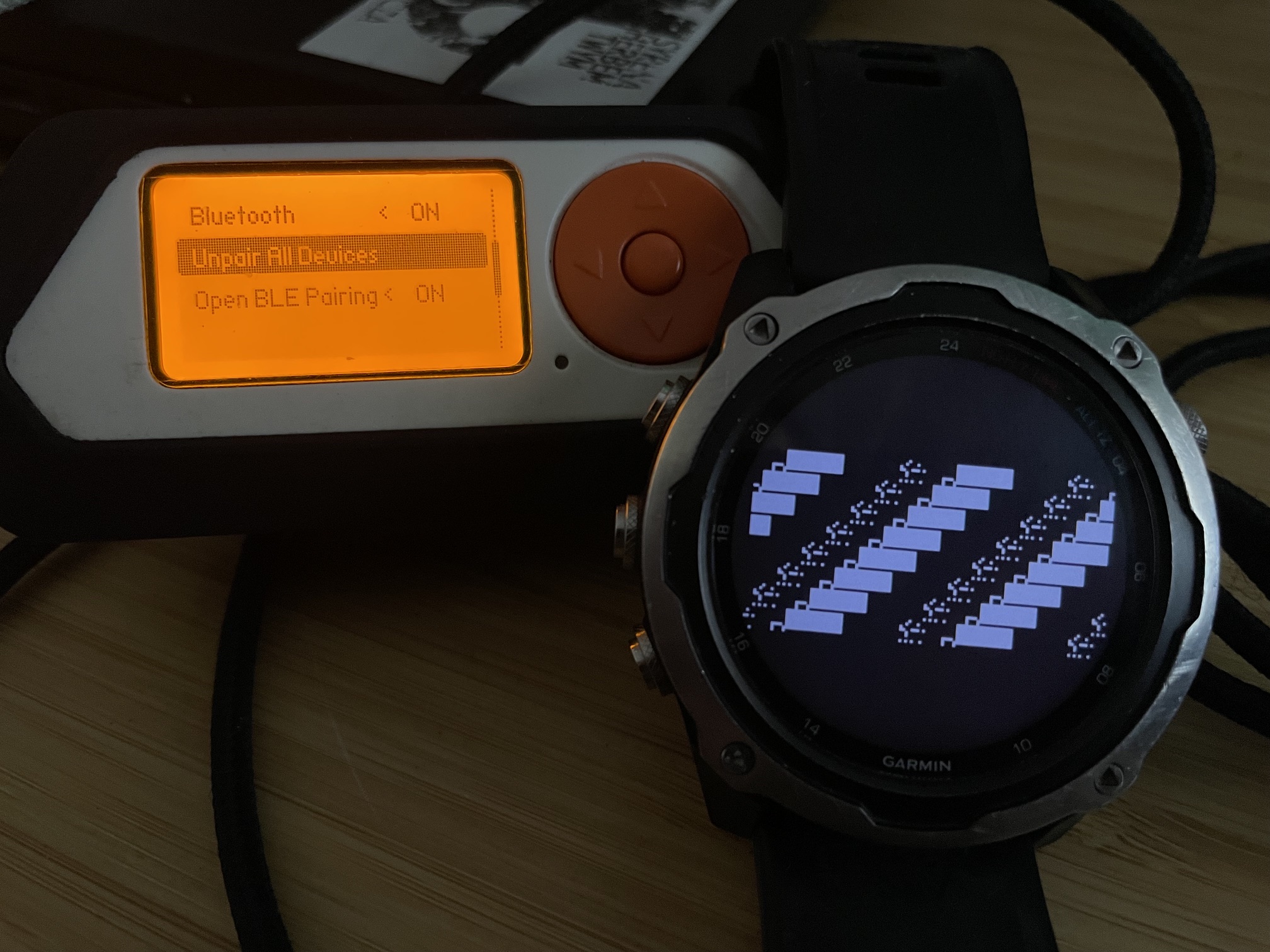
The fix is one line, max_packet_size starts at 20 while the switch is on and only grows after a real MTU update. The moral is boring and true: stop reasoning about the code and start measuring it. The picture was correct now. It arrived once a minute.
The speed problem turned out to be another single line. The Flipper renegotiates the connection interval, the time between radio exchanges, if the central proposes something silly. But that check sat behind an is_secure gate, which only pairing ever sets, so on a Just Works link it never ran. The watch proposed 997 milliseconds and got 997 milliseconds. Every one of the 52 packets waited a full second.
if(gap->is_secure || gap->config->pairing_method == GapPairingNone) {
    negotiation_failed |= connection_interval_max < gap->connection_params.conn_interval;
}
Connection Interval: 798 (997 ms)
Connection interval doesn't suite us. Trying to negotiate, round 1
Connection Interval: 6 (7 ms)
A minute became three seconds, the biggest single gain in the whole project. After trimming the rendering cost on the watch side, about two. What's left is the MTU. Connect IQ has no API for it and stays at 23, so a frame is 52 packets, each sent as an INDICATE with its own acknowledgement, about 38 ms apiece. At an MTU of 247 it would be five. That's the ceiling, and for now it stays.
The last wall was on the watch, not the radio. Connect IQ kills an app whose onUpdate runs too long, and it says so in the crash log:
Error: 'Watchdog Tripped Error - Code Executed Too Long'
Stack:
  - File: source/Framebuffer.mc        Line: 65   Function: draw
  - File: source/FlipperRemoteView.mc  Line: 63   Function: onUpdate
Drawing 8192 pixels one by one is certain death, so the renderer works in runs: adjacent lit pixels in a row become a single rectangle, and a screen full of text is about 1300 of them. Still too many for one call, so a frame is drawn in eight slices of eight rows, capped at 300 rectangles each. The cap isn't a guess: every device's simulator.json lists its watchdog budget, and the Forerunner 255 has half of everyone else's. Along the way, a classic bug: a new frame reset the slice counter halfway through drawing, so the bottom of the screen never finished and flickered once a second. Double buffering fixed it.
Security, or why this isn't a backdoor
With the switch on, RPC loses its authentication. And RPC isn't a screen preview, it's full control: SD card read and write, launching apps, injecting key presses. In the first version any BLE device in range could quietly take over the Flipper.
That had to go before publishing. Now, the first time an unknown device connects, the Flipper asks:
      Allow BLE remote?
   Watch C45B:0E12:AA1E
  wants to control Flipper
 [Deny]              [Allow]
Allow stores the address in internal memory, up to eight devices. Deny drops the link before any service becomes reachable, and the watch doesn't keep retrying, because every retry would put the prompt back on the screen.
What this doesn't fix: the link is still unencrypted. Just Works without bonding produces no keys, so the screen and the key presses travel in plain text. The prompt blocks a takeover, not eavesdropping. The switch is off by default and I turn it off when I'm not using it. One more gap: the match is by BLE address, so a central that rotates its address will be asked again after every rotation. Whether Garmin does that, I don't know yet.
Controls, or Garmin takes your buttons
As mentioned earlier, users familiar with Garmin's button layout shouldn't have any trouble controlling the Flipper intuitively with the watch keys. Still, you have six Flipper directions to map onto five buttons. On top of that, Garmin's system grabs some gestures before the app ever sees them: holding ENTER opens Wallet, holding LIGHT opens the controls menu, and BACK closes the app by default. The documentation says nothing about this.
The final layout: UP and DOWN move along the current axis, and a double tap on ENTER flips the axis from vertical to horizontal, because two short presses are the only gesture the system doesn't steal. ENTER is OK, a short BACK is BACK, holding BACK for a second and a half leaves the app. On touchscreen watches a swipe is a direction and a tap is OK.
Where it stands
- Flipper mod - It won't go upstream: Momentum's
CONTRIBUTING.mdbans any AI involvement in contributions, and this code was written with an assistant, which the commits say openly. So it stays a fork with ready-made builds. Anyone who wants to can rewrite it by hand, every change and its reason is described in the repo. - Garmin app - For now, I don't plan on releasing it to the official Garmin Connect IQ Store, though it would certainly be nice. If the Flipper mod ever lands in an official firmware, store release will be the natural next step, letting anyone pick it up and use it in the field without having to compile custom firmware or manually sideload the watch app.
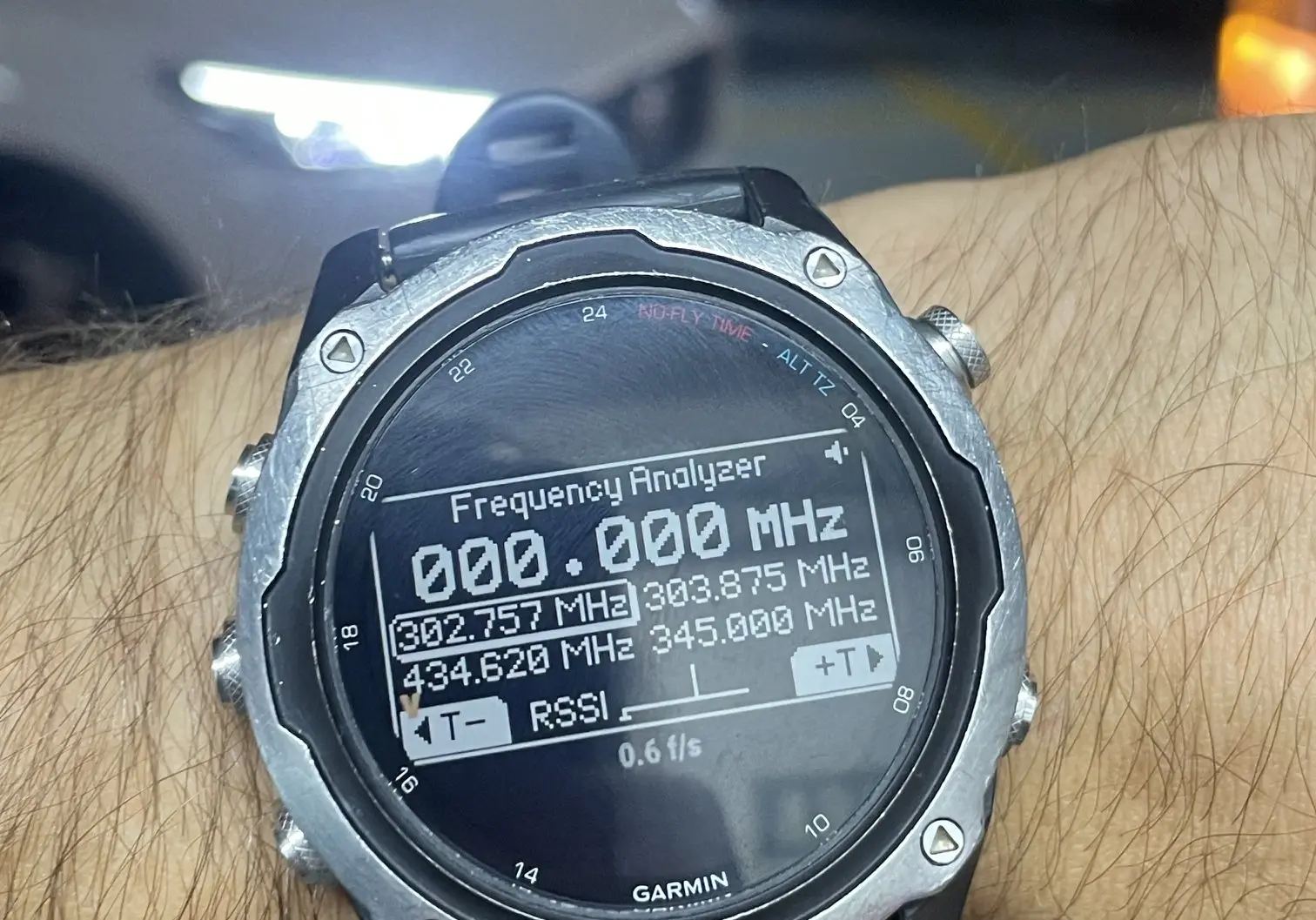
It builds for 118 Garmin models, from the fenix 5 Plus to the 9, through the epix, MARQ, Venu, vivoactive and Descent. Six models with 128 KB of memory dropped out, because the app weighs 140 KB. But it has run on exactly one: my Descent Mk2. The rest is a successful build and a computed screen layout, not an observation. I haven't had the chance to test it on other physical devices yet, so any willing testers and contributors are more than welcome - feel free to get in touch if you'd like to try it or report any bugs you find.
About three unexpected hangs were recorded around attempts to exit a Flipper app. I didn't spend more time investigating it, and I'm not entirely convinced whether the cause lies in my code, the BLE protocol, or Momentum itself - which occasionally likes to freeze or reboot on its own anyway. I'm leaving that question open.